Google

AdSense Click Fraud in India - How The Whole System Works?

A recent report on Click Fraud suggests that the maximum number of invalid clicks on Pay Per Click ads originate from India. And this is not the first time - its widely believed there there exists a large “work from home” crowd in India who want to generate “quick cash” by clicking Google AdSense ads.

During a recent trip to Google Hyderabad for BarCamp, I met someone who explained me the whole modus operandi of these secret ad clickers.

work at home google cashPick any issue of Deccan Chronicle newspaper (the English Daily of Hyderabad) and open the Classifieds section - you will see dozens of ads that promise you regular Google AdSense income while working from home. (see this newspaper clipping on the right).

You basically create a website and then write a few articles to get accepted into the official Google AdSense program. Once you become an AdSense publisher, you join any of these “bogus” AdSense network and are introduced to other members who are in the same boat as you.

Now Google would quickly ban your AdSense account if you click Ads on your own website so what these networks do is ask members to click on Ads appearing on websites of other members. So it like a reciprocal behavior - you click my ads and I will click yours.

adsense-reports

Do members of such local AdSense networks make money? I have doubts. They may make a few dollars before Google discovers the click fraud activity, bans the account and returns the accumulated earnings to advertisers.

But in any case, the fraudulent clicks have been generated and added to the global “Click Fraud Index”. No wonder, India tops the chart.


Tutorial #2: Tweak the AdSense BG Color!!!

Tutorial Explanation:

I will show how in a few simple steps, you can change your AdSense Background colors, to suit any part of your site!

Needed Tools:

- An AdSense Account.
- Adobe Photoshop.


OK! Lets Begin!

Step Number one:

- Open Photoshop.
- Open your website in your browser.
- Press the Print Screen (PrtScn) button, on your keyboard.
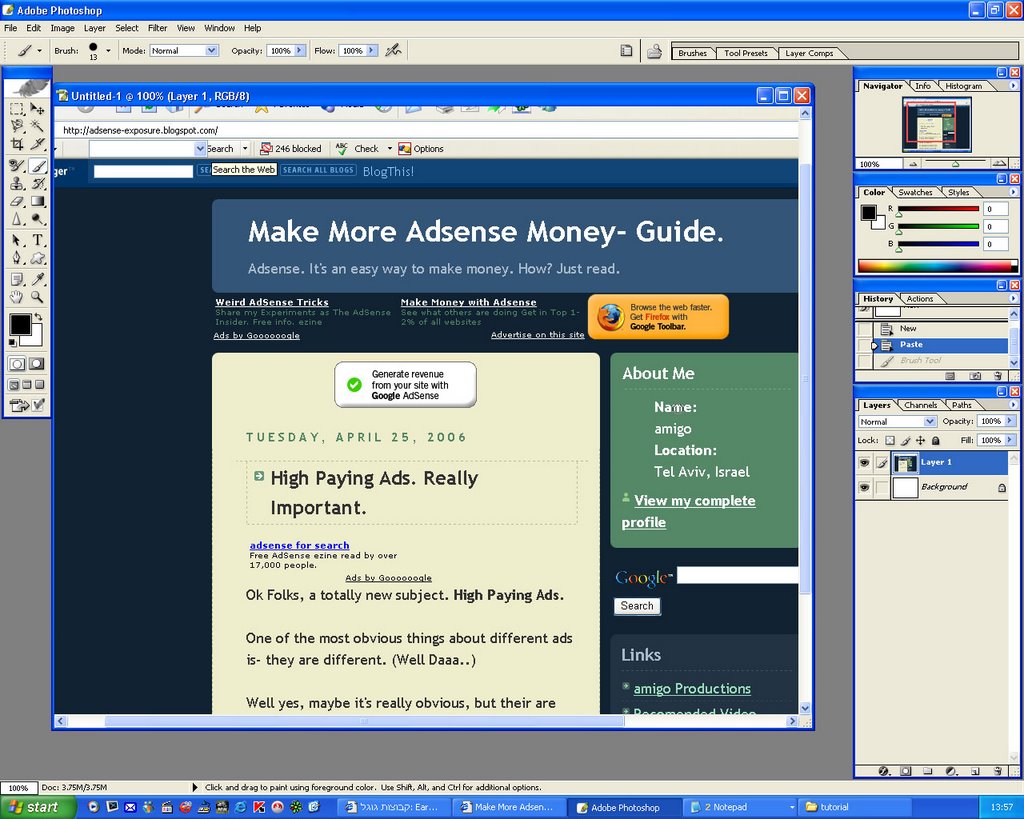
- Open a new document in PhotoShop (CTR+N). (settings don't matter..)
- Paste the printed screen into Photoshop. (Simply press CTR+V)

http://photos1.blogger.com/blogger/2871/2729/320/picture%20in%20photoshop.0.jpg


Step Number Two:

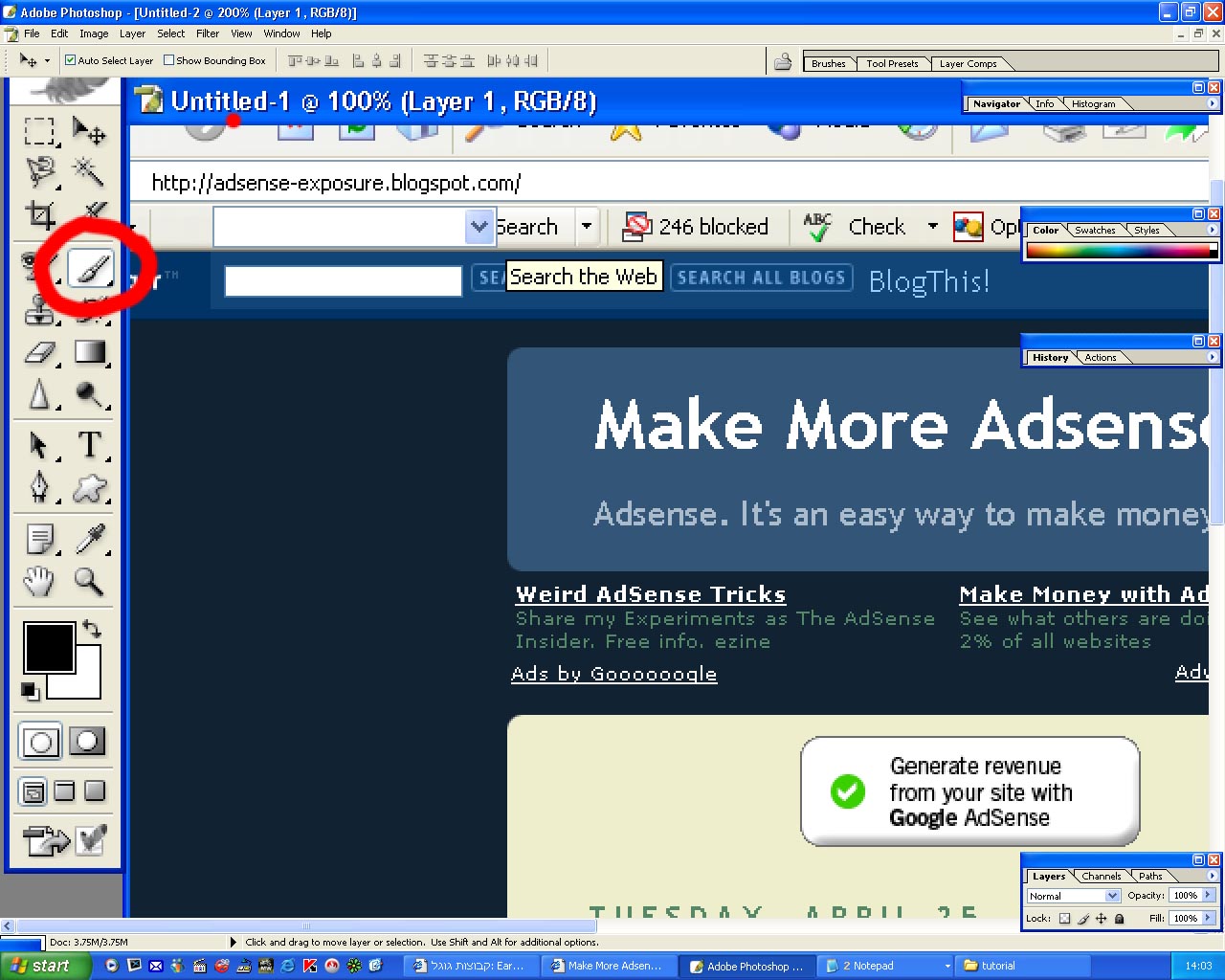
- Click on the Brush tool in Photoshop.

http://photos1.blogger.com/blogger/2871/2729/320/click%20brush.0.jpg


Step number Three:

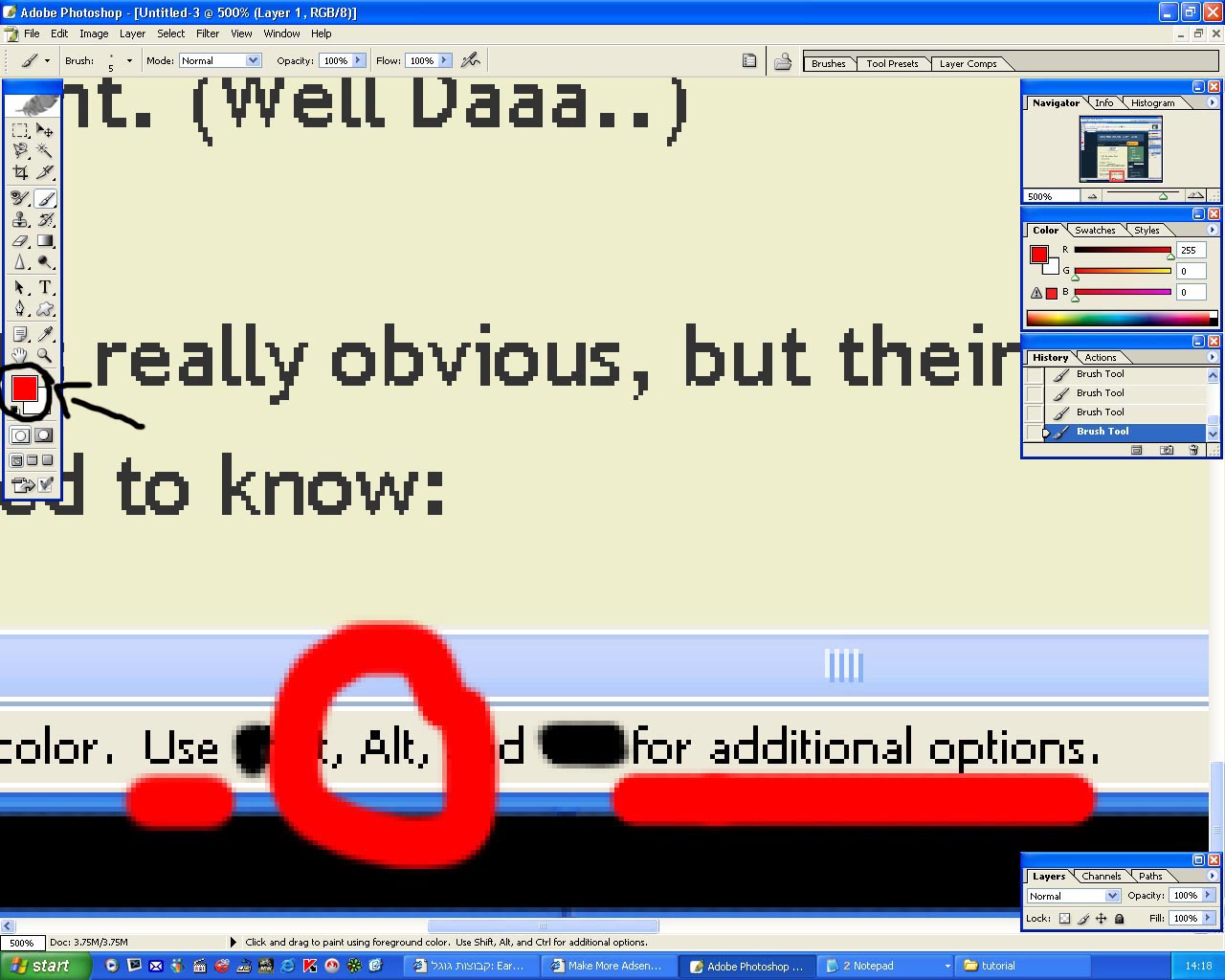
- Hold down the ALT button, on your keyboard.

http://photos1.blogger.com/blogger/2871/2729/320/3ALT.0.jpg


Step number Four:

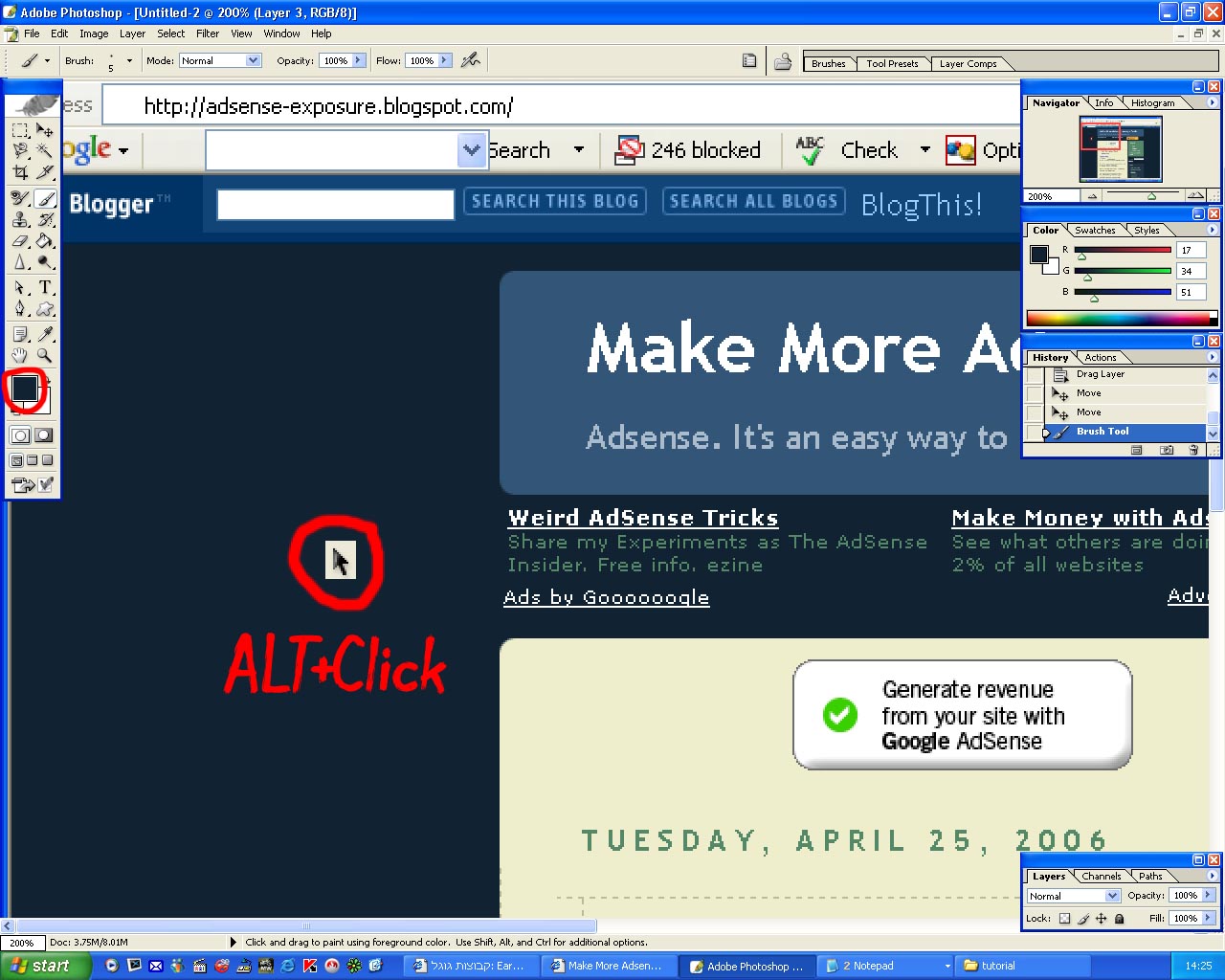
- While holding down the ALT button, select and click with your mouse, the color you want your Ad to be.

- After choosing the color, Click on the color palate. (The colored box in the picture)

http://photos1.blogger.com/blogger/2871/2729/320/4alt%20click.jpg

Step number Five:

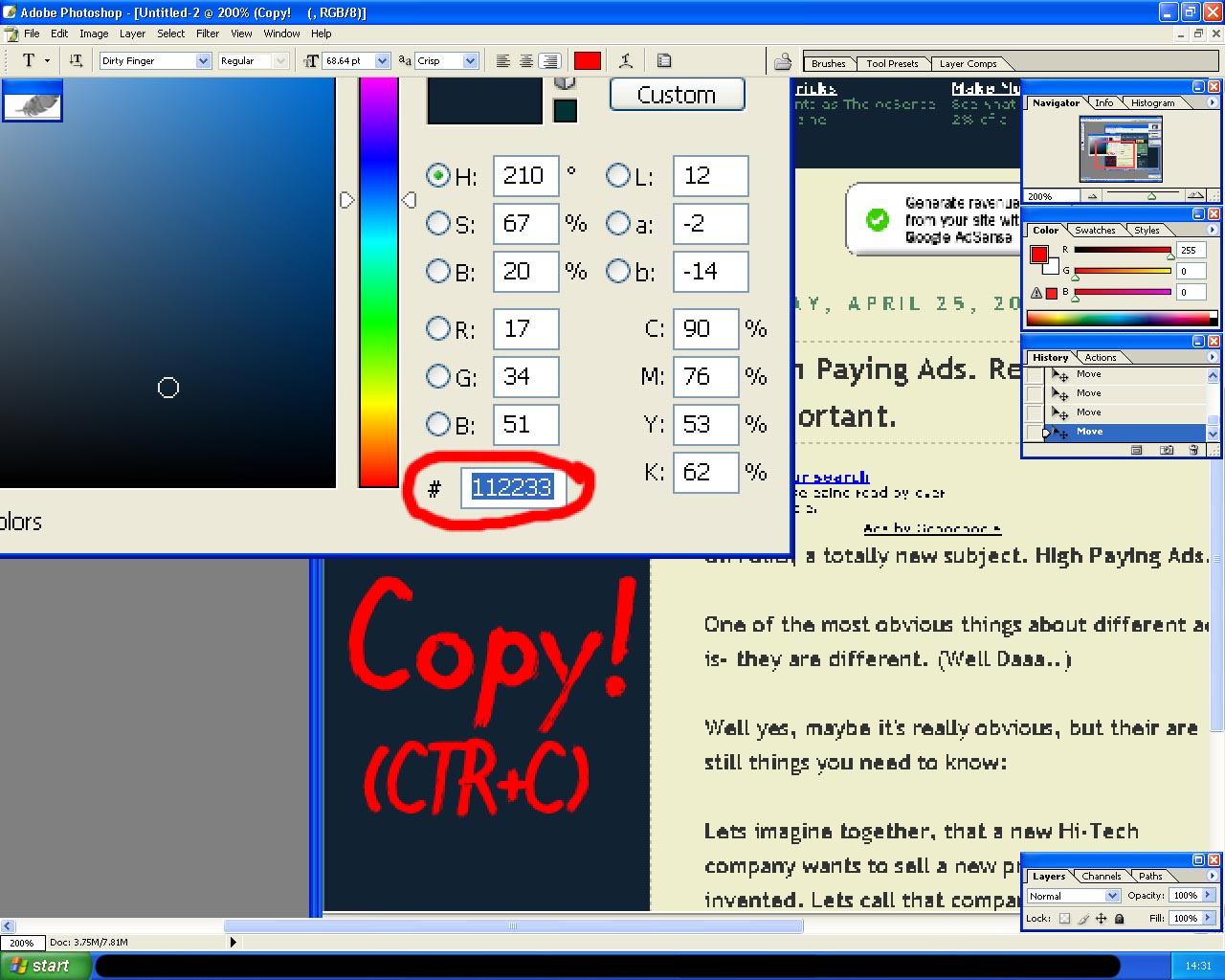
- You should now be in the Color Setting. (Like in the picture)

- Copy the content of the box I marked in the picture. (Simply select it, and press CTR+C)

http://photos1.blogger.com/blogger/2871/2729/320/5copyBG.jpg


Step number Six:

- Go into your AdSense Account.
- Go into the AdSense Setup page, and select the AdSense for content (or Search..)
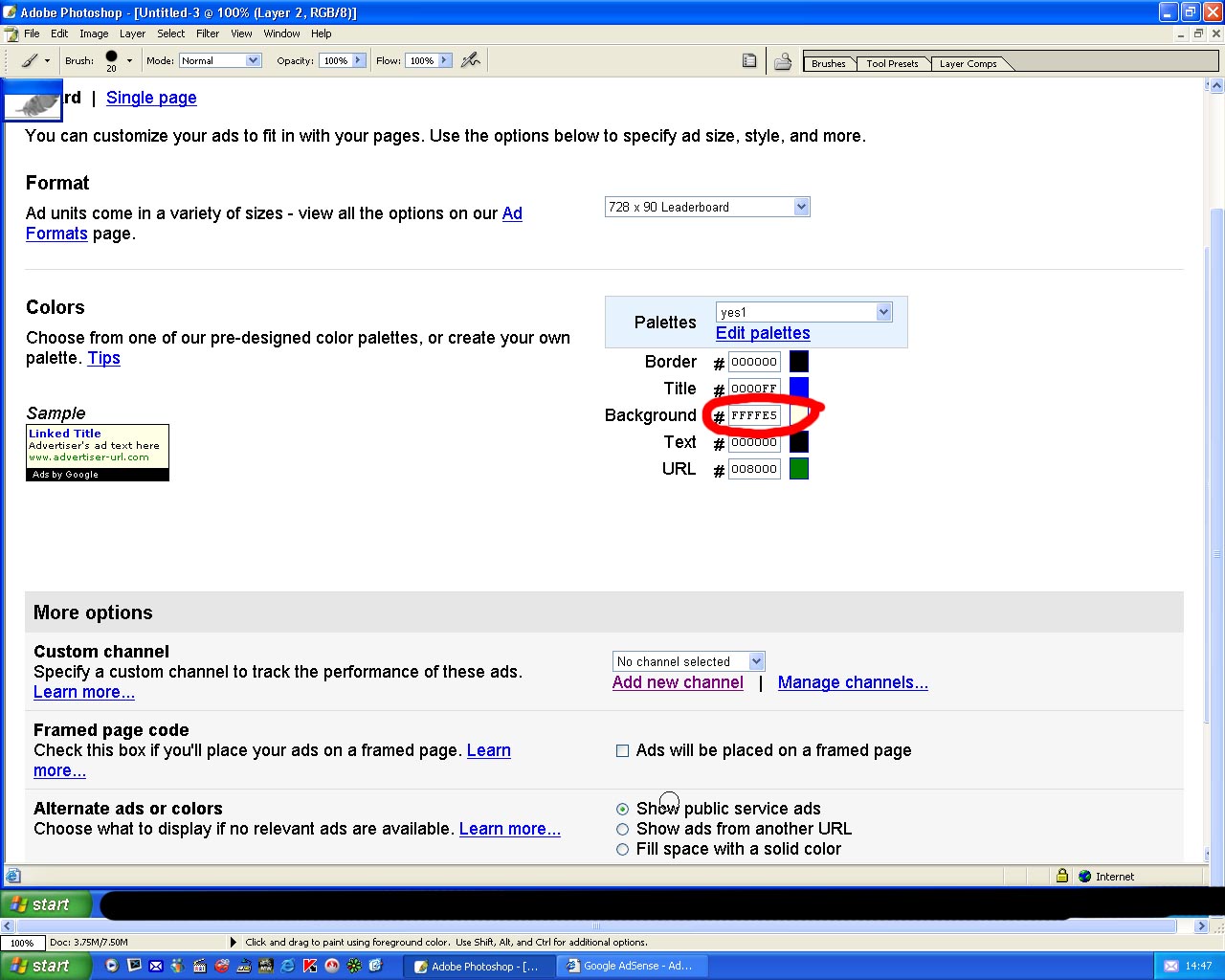
- Choose the settings you like for the Ad, and finally, get to the Ad color settings. (it should look like the picture..)
- Select the content of the Background box.

http://photos1.blogger.com/blogger/2871/2729/320/adsenseBG.0.jpg

Step number Seven:

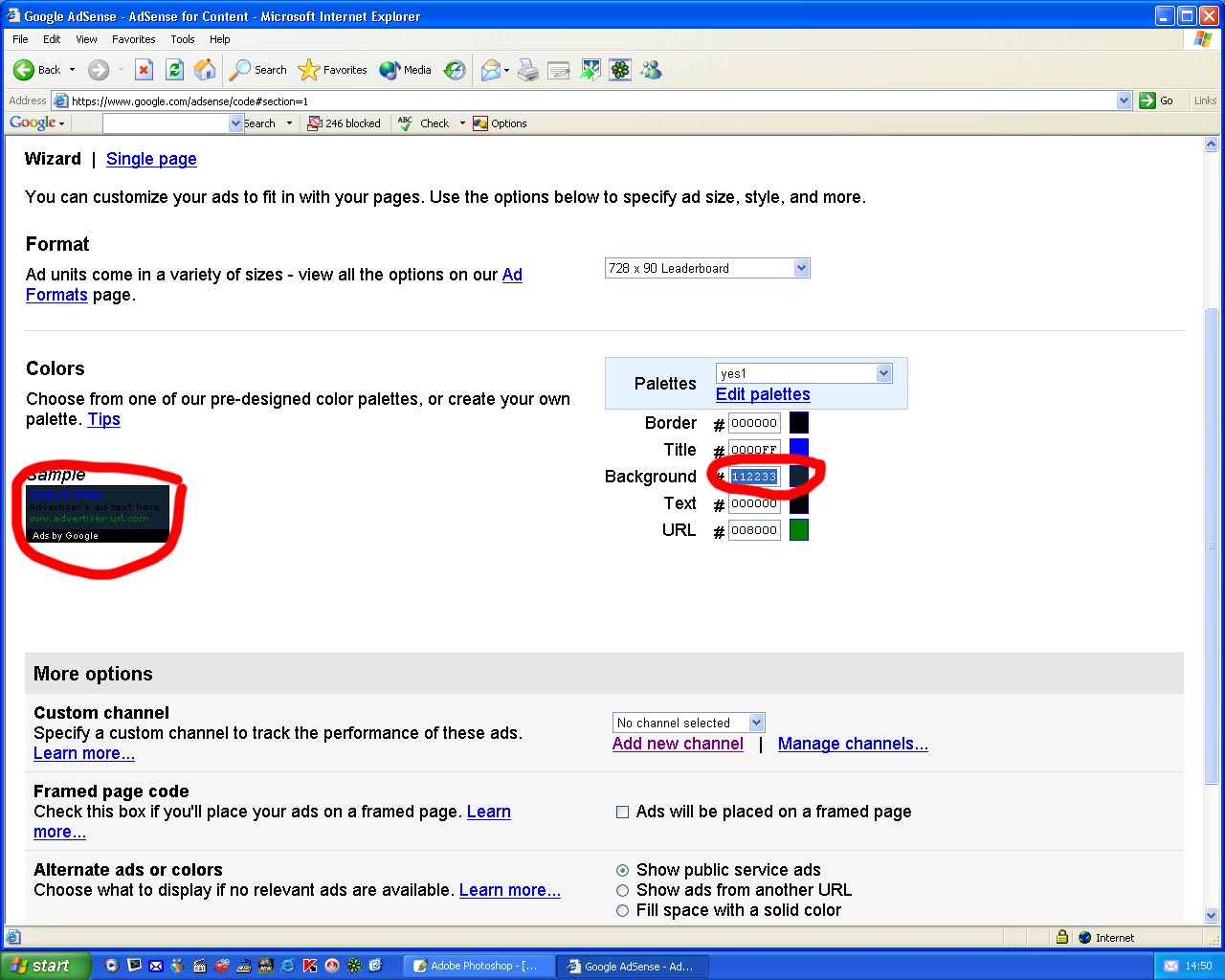
remember that when we were in Photoshop, we copied something? Now is the time to use it.

- Paste the content into the Background box. (Notice the ads background change.)

http://photos1.blogger.com/blogger/2871/2729/320/7AD_BG_CHANGE.jpg

Step Number Eight:

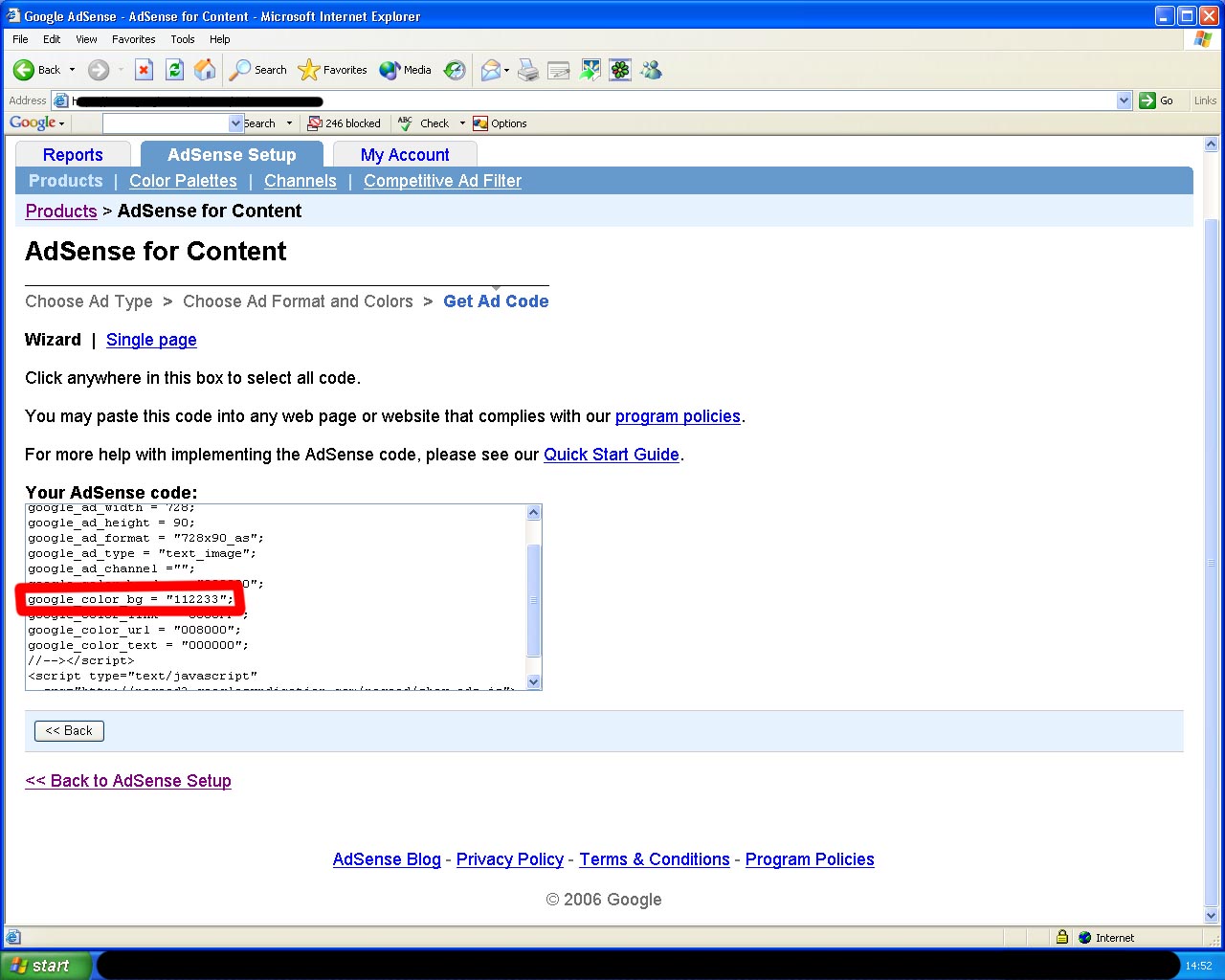
- Simply copy the ads code, into the place you want it, in your website. (Like you always do..)

http://photos1.blogger.com/blogger/2871/2729/320/8ad_code.0.jpg

That's it. Hope it helped you out! I tried to make it as easy as possible!

Amigo. =)

Google